Add a property so you can attach inspections to the correct address, then open that property again from your properties list when you need to review it.
Step by step
- Open your properties list from the dashboard.
- Select the Plus button to start a new property.
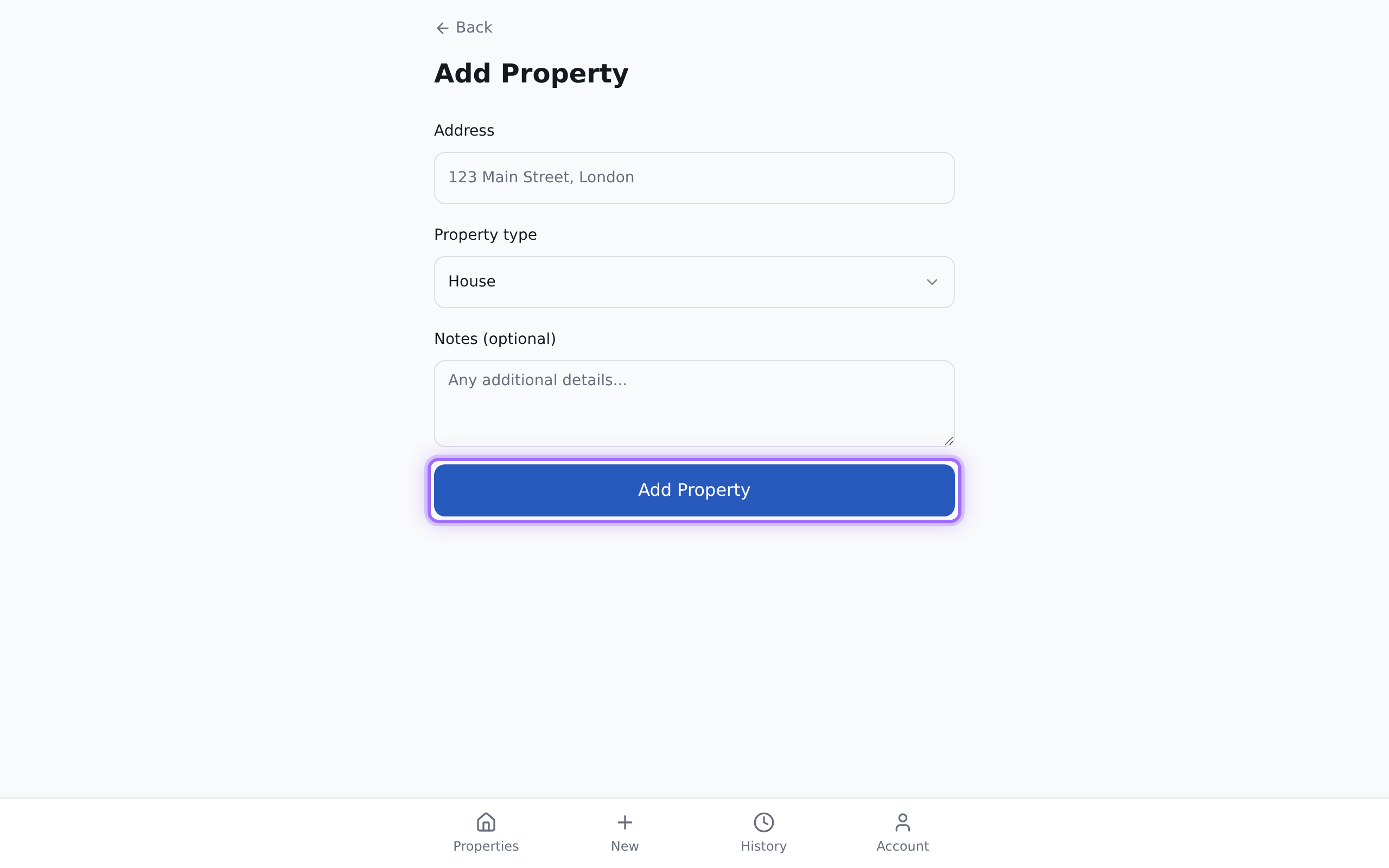
- Enter the Address.
- Choose the Property type:
- House
- Flat
- Apartment
- Studio
- Bungalow
- Other
- If needed, add Notes (optional) for any extra details about the property.
- Select Add Property.
- Open the property later by selecting it from your properties list.
